

Gesture Control Car
Gesture Control Car
Aim:
The main aim of the project is to make a car which can be controlled by the movement of your phone.
Components Required:
| Sr. No | Component | Quantity |
|---|---|---|
| 1 | TeBoT | 1 |
| 2 | TeBoT Cable | 1 |
| 3 | Bluetooth Module (HC-05) | 1 |
Connection and Code Upload:
Step 1: Connect the TeBoT with your device and turn on it.
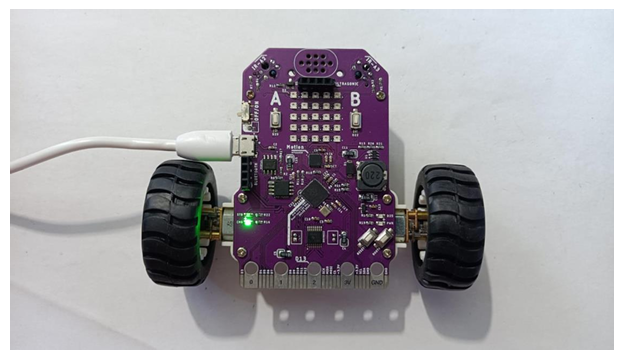
Step 2: Select the board and port, then upload the code.
Warning: If you face any issue while uploading the code, then first “OFF” the TeBoT. Next, turn “ON” the TeBoT. Press the “BOOT” button for a short time then press the “RESET” button once. Then release the “BOOT” button. You will get a drive. Then upload the code.
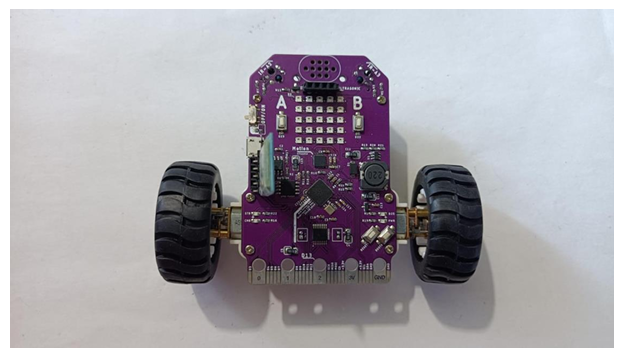
Step 3: Now remove USB cable from TeBoT and connect the Bluetooth module.
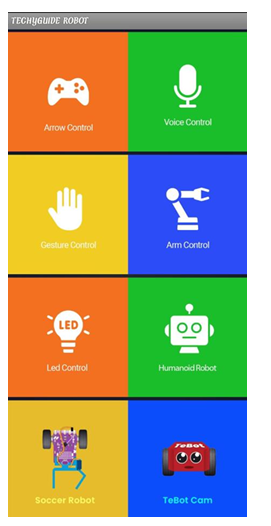
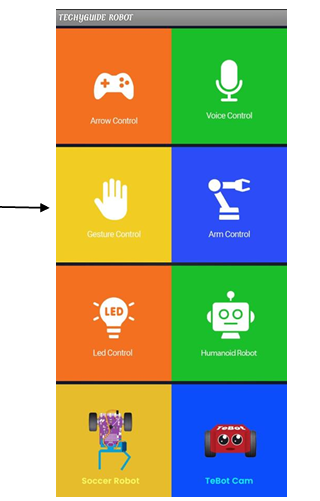
Step 4: Now download the apk file “Techyguide Robot” on your mobile and install it. You will see this interface.
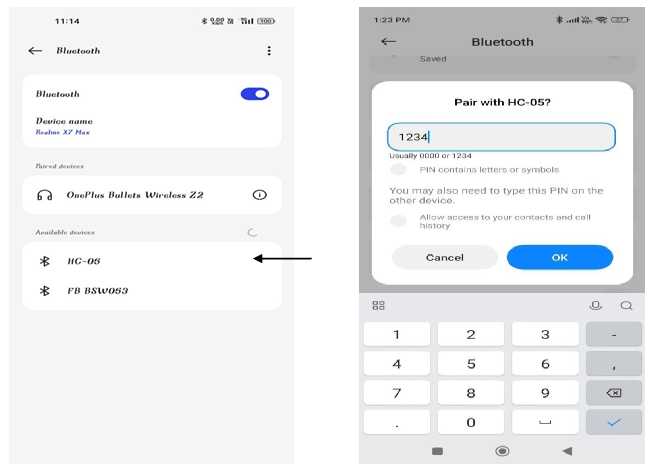
Step 5: Now turn on the Bluetooth on your phone and select “HC-05”. Then give the pin as “1234” and click on “OK”. Then your Bluetooth will be paired with your mobile.
Step 6: Now go to the app and click on “Gesture Control”.
Step 7: After clicking on “Gesture Control” you will see the interface. Then click on “Connect” and select “HC-05”. Then your Bluetooth will be connected with your mobile.
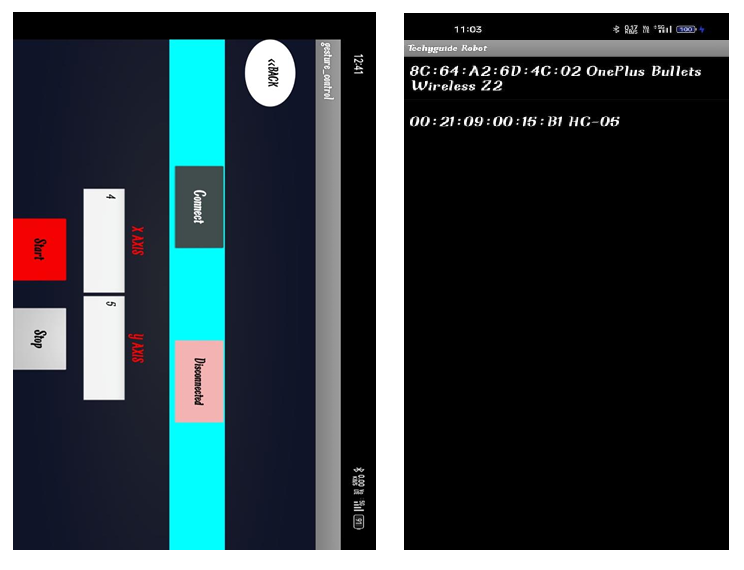
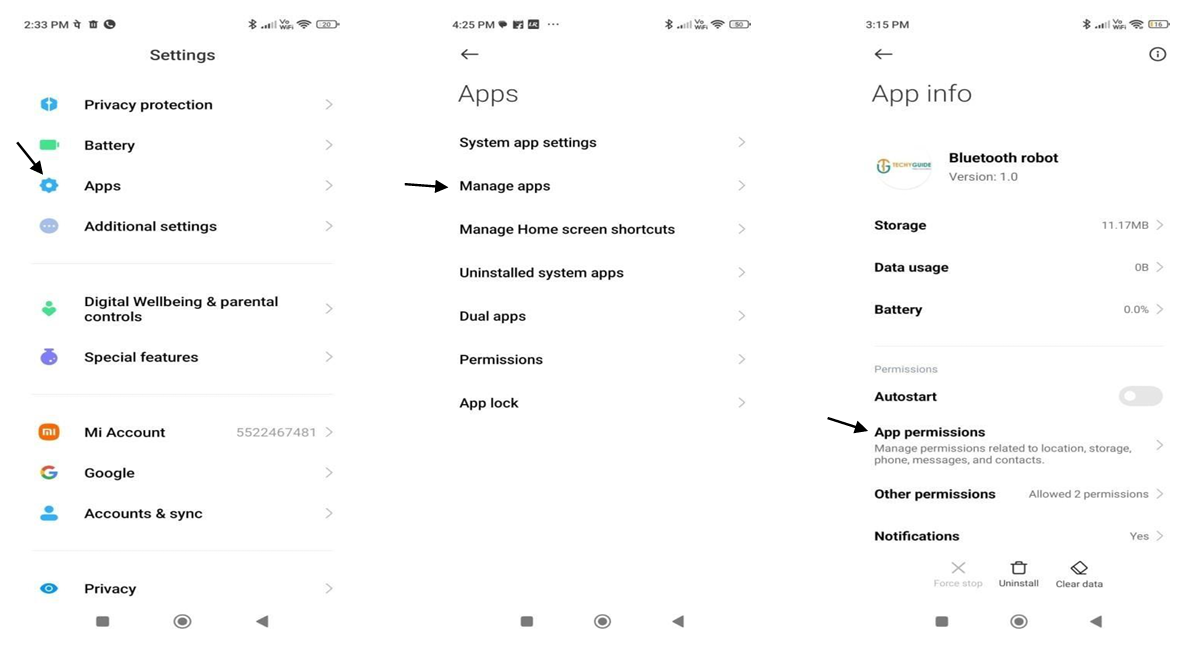
NOTE: If you can’t see the Bluetooth name after clicking on the “Connect”, then follow the below steps.
- Go to your phone setting.
- Click on Apps.
- Click on Manage apps.
- Then click on “Techyguide Robot” app.
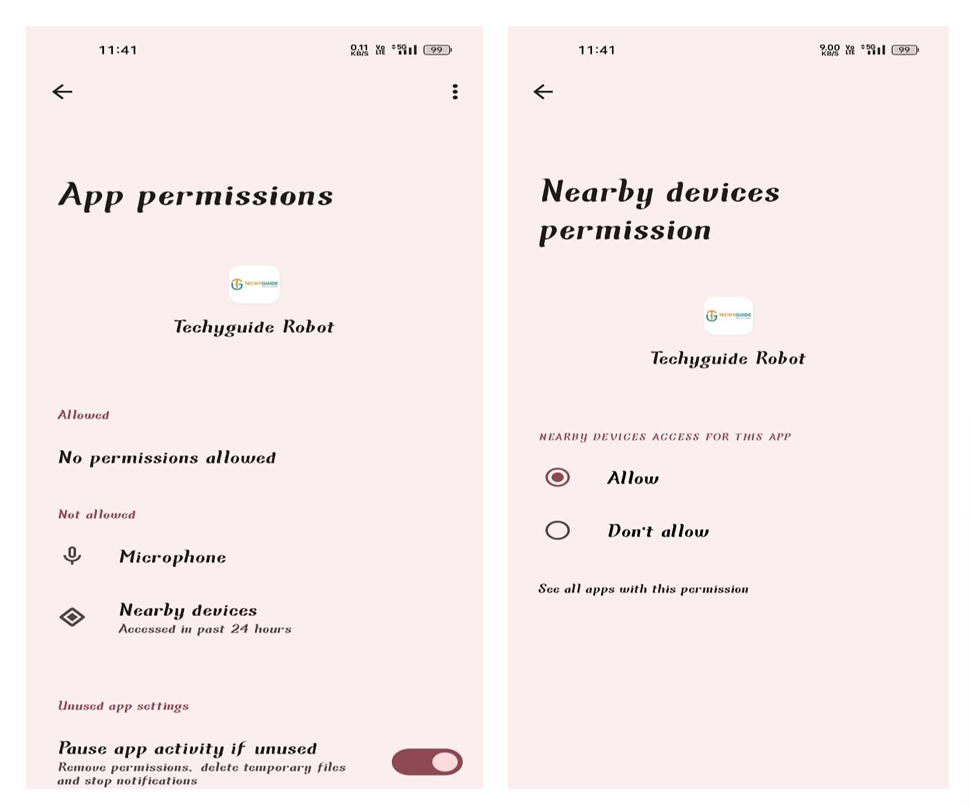
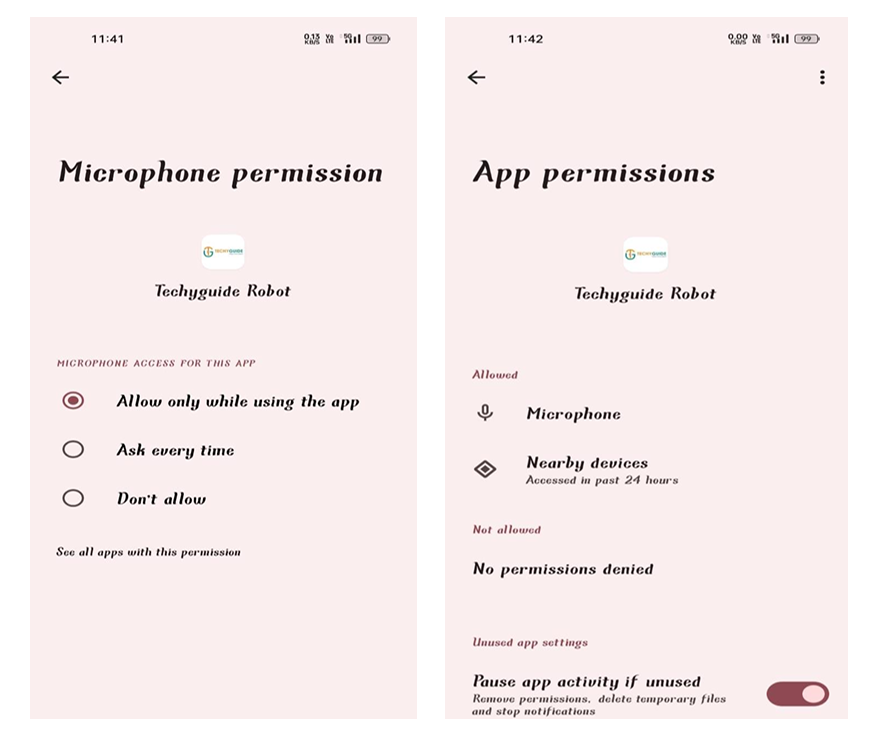
- Now go to App Permission.
- There you get Nearby devices under Not Allowed.
- So click on Nearby devices and give access Allow.
Now you can see that it is under Allowed Section.
Now, again go to the app and connect the Bluetooth. Then click Start. Now according to the movement of your mobile the car will move.
Conclusion: From this project we got the idea about all components, connection of those components and made the Gesture Control Car.