

Motion Sensor Based Home Automation
Motion Sensor Based Home Automation
Aim:
The main aim of the project is to make home automation with the help of motion sensor.
Components Required:
| Sr. No | Component | Quantity |
|---|---|---|
| 1 | TeBoT and Cable | 1 |
| 2 | PIR Sensor | 1 |
| 3 | 1 Channel Relay Module | 1 |
| 4 | LED | 1 |
| 5 | Resistor(220Ω) | 1 |
| 6 | Jumper Wire(M-F) | 6 |
| 7 | Jumper Wire(M-M) | 3 |
| 8 | Breadboard | 1 |
| 9 | Battery | 1 |
Connection and Code Upload:
Step 1: Connect the TeBoT with your device and turn on it.
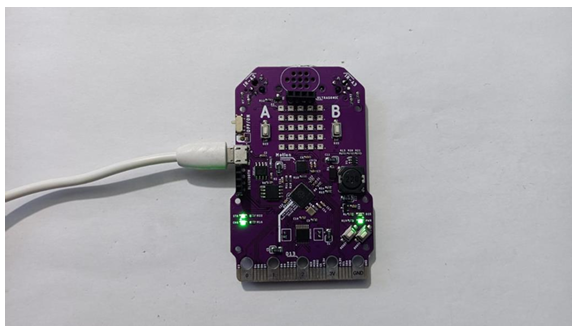
Step 2: Select the board and port, then upload the code.
Warning: If you face any issue while uploading the code, first “OFF” the TeBoT. Next, turn “ON” the TeBoT. Press the “BOOT” button for a short time then press the “RESET” button once. Then release the “BOOT” button.
You will get a drive. Then upload the code.
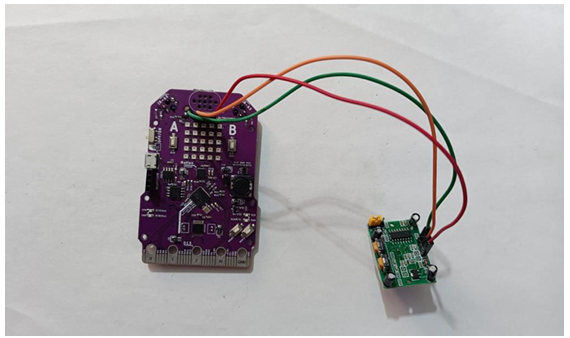
Step 3: Now take the PIR sensor and connect with TeBoT.
- VCC of PIR with VCC (1st pin of ultrasonic port from right to left) of TeBoT.
- GND of PIR with GND (1st pin of ultrasonic port from left to right) of TeBoT.
- OUT of PIR with Pin No 14 (2nd pin of ultrasonic port from left to right) of TeBoT.
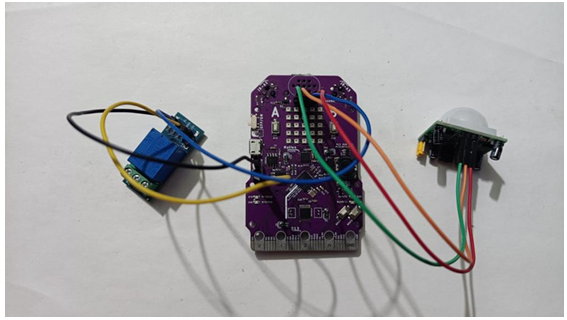
Step 4: Take the Relay Module and connect with TeBoT.
- VCC of Relay with VCC (4th pin in Bluetooth port from up to down) of TeBoT.
- GND of Relay with GND (3rd pin in Bluetooth port from up to down) of TeBoT.
- IN of Relay with Pin no 15 (2nd pin in ultrasonic port from right to left) of TeBoT.
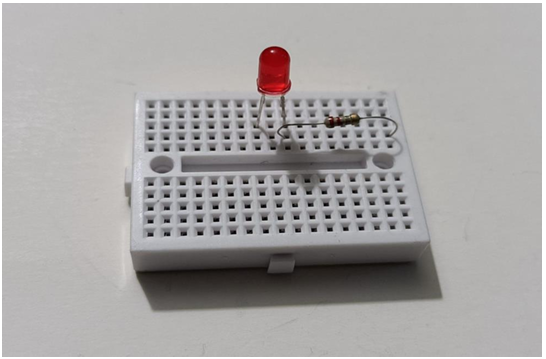
Step 5: Now take the breadboard and connect LED on it.
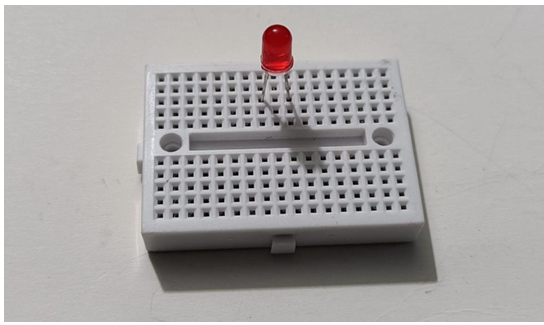
Step 6: Take the resistor and connect one end of resistor at +VE of LED. Also connect other end of resistor at any socket of breadboard as shown below.
Step 7: Take one jumper wire and connect with resistor. And then take another jumper wire and connect at –VE of LED.
- Connect the Resistor with NC of relay.
- Connect –VE of LED with –VE of battery.
- Connect COM of relay with +VE of battery.
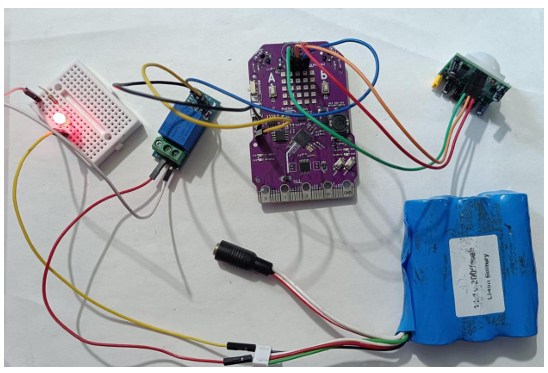
Now turn on TeBoT. You will see the LED will be OFF. Then, you move your hand in front of PIR sensor, the relay will give a sound and the light will glow.
Conclusion: From this project we got the idea about all components, connection of those components and made Motion Sensor Based home Automation.