

Ultrasonic Radar System
Ultrasonic Radar System
Aim:
The main aim of the project is to make Radar with the help of ultrasonic sensor on TeBoT.
Components Required:
| Sr. No | Component | Quantity |
|---|---|---|
| 1 | TeBoT and cable | 1 |
| 2 | Ultrasonic Sensor | 1 |
Connection and Code Upload:
Step 1: Connect the TeBoT with your device and turn on it.
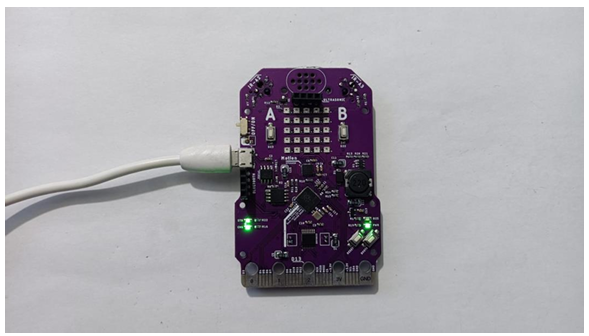
Step 2: Select the board and port, then upload the code.
Warning: If you face any issue while uploading the code, then first “OFF” the TeBoT. Next, turn “ON” the TeBoT. Press the “BOOT” button for a short time then press the “RESET” button once. Then release the “BOOT” button. You will get a drive. Then upload the code.
Step 3: Connect ultrasonic sensor on TeBoT.
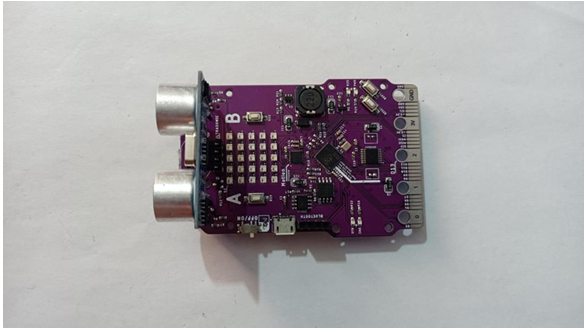
Step 4: Now download the folder named as “Ultrasonic Radar System” from LMS. You will get a Zip file, extract it. Open the extracted file, you will get the below interface.
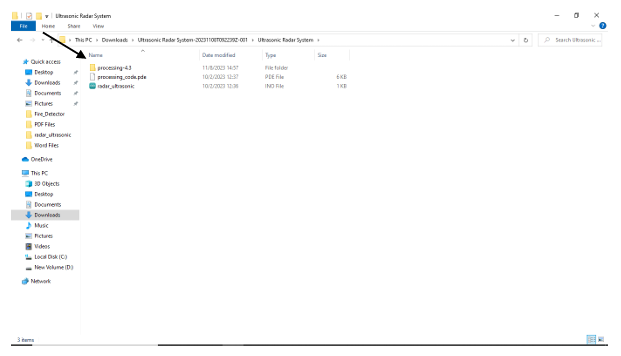
Step 5: Now open the first file named as “processing-4.3”.
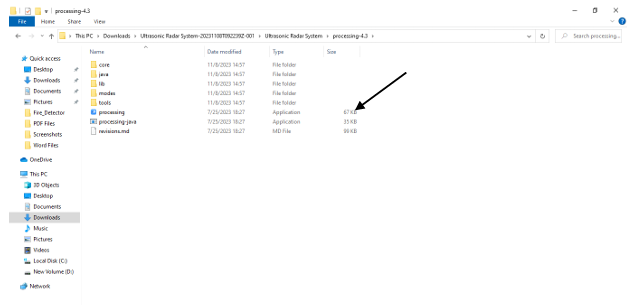
Step 6: Open the file named as processing, you will get this screen.
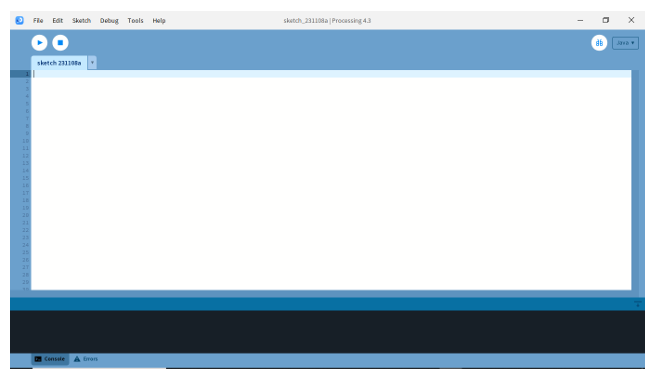
Step 7: Connect the cable and turn on TeBoT. Paste the below code on the above interface and change the port name on the code. Give the port name as showing in your Arduino IDE and then click on Run.
i.e. myPort = new Serial(this,"COM7", 9600); // starts the serial communication
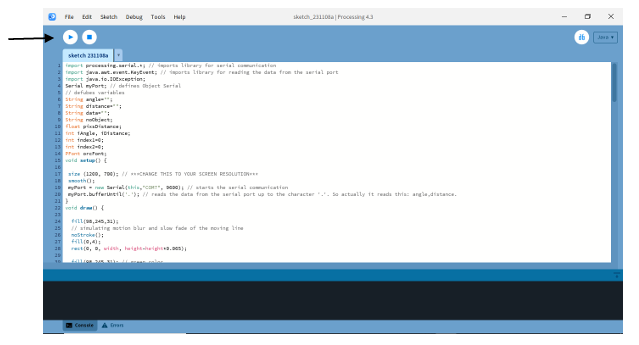
The screen will look like:
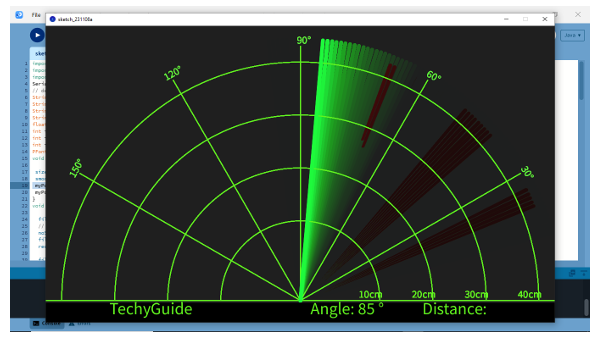
After clicking on Run you will see this screen.
Now, when you take your hand or something in front of the ultrasonic sensor the red line will show as you can see in the above picture.
Conclusion: From this project we got the idea about all components, connection of those components and made the Ultrasonic Radar System.